Workflow · Product engineering
The bottleneck moved: product engineering without losing control
Agents are excellent at doing what you tell them. The hard part is telling them precisely, and keeping control while you multiply throughput.
This post is AI-generated from thoughts I wrote down, then fully reviewed and edited by me before publishing.
Writing software with coding agents is a different experience than it was a few years ago. Processes changed, ways of working changed, and the effort we put into writing and reviewing code has shifted.
In product engineering especially, we used to spend a lot of time designing features, talking to product managers, and finding compromises. Now that writing the code costs less, the real work is making the right decisions and parallelizing what can run at once.
A lot of engineers, managers, and C levels I work with have asked how I approach this and how I set up the day. One of them asked more than a year ago. I avoided sharing “my setup” until now, mostly because other people pushed me over the last couple of days.
Take this with a pinch of salt. Most of what follows is subjective, with a bit of objectivity where it earned it.
It is how I moved from the old engineering loop into product and software work where I can multiply throughput without sacrificing quality, and without losing control.
If you spend a lot of time with coding agents and throughput is flat, if skills feel like they should work but do not, if speed went up and quality went down, or if you feel you are losing control of what you are shipping, this might help you find a way through.
This post is entirely personal. It is my own way of working. It does not represent the company I work at, and it does not claim that colleagues or companies I work with treat this as a standard.
How we used to work
Staff engineering is its own job, and this post is aimed at software engineering and product development. As a staff engineer you can create impact by writing code or by unblocking others.
The daily shape below is still the product path most teams know.
On a web application (desktop and mobile differ a bit, embedded is another world), teams usually have some backend engineers and some frontend engineers, or a mix of full stack and product engineers.
After the ceremonies, agile or otherwise, the daily outcome was almost always the same. An engineer worked on one task, maybe two or three, followed requirements, and delivered a task, a story, or a slice of an epic.
Whether that feels familiar or not, the point I care about is simple.
On a normal day our focus sat on a small number of concurrent topics. When the work was feature development, the bottleneck was writing the code.
The bottleneck moved
At first, coding agents showed up as autocomplete that was sometimes surprisingly good and sometimes weird. We felt that was the way forward.
Slightly later, models got good at something many of us disliked doing: writing tests. Happily, we started handing that work over.
In my view, for at least a year now we have had coding agents that can manage actual work, not only the next few tokens.
Did the bottleneck go away? Not really. It moved somewhere else.
For roughly the last nine months the hype train has said that telling the agent what to do is enough for perfect execution. Reality is more mixed.
The part I believe is true is that agents are extremely good at doing what you tell them to do. The harder part is telling them precisely what you want.
Ambiguity kicks in fast. A clear idea in your head becomes a clunky implementation that barely matches what you meant.
Understanding where it went wrong can be difficult, and sometimes it is hard to recover at all.
The rest of this post is how I keep that from becoming normal, how I improve what I already have, and what I learned the hard way.
What the goal is
With AI, my goal is to figure out how the tool increases my productivity, and how to get maximum output while everything stays under control.
Whether that lands as 2x, 10x, or more is less interesting than the pattern that produces the multiplier, and the variables that raise or lower it.
We are not talking about yoloing a personal product like this blog, which took one spec with the workflow below. We are talking about enterprise scale product development.
Most of us are fine at yoloing prototypes and pretty HTML. When a large organisation and real complexity show up, “just give the agent context” is not enough on its own.
Context helps. It is not the whole answer.
Where the human stands
Something that still surprises me is how few people ask where they should take action when using AI.
I have watched a lot of people try different placements, and a lot of those approaches fail for a while. That is part of learning.
Today the human can sit in different places in the software development lifecycle:
- YOLO mode: ask the agent to do something with almost no intervention, for example “build me an app that generates pictures of cats.”
- Define the work, then ask the agent to execute it, through a specification, a PRD, or something similar.
- Break the work into smaller pieces and have the agent execute those.
- Write the code yourself and ask the agent to review it.
- Ask the agent to write the smallest unit of code and review each piece yourself.
Some of those overlap. The useful summary is that you can stand very close to the implementation cycles or far away from them.
I tried all of them, including building my own AI dark factory, and eventually found what works for me.
My default: two seats
In a normal spec driven workflow I sit in two places only.
I own feature definition, where ambiguity is removed and decisions are locked. I own the final review. Everything else is handed to the agent.
Skills and coding guidelines in each repository carry the middle of the path.
Why not higher in the chain?
I tried hard to put myself at epic level. Some people claim they have that nailed. I still doubt it for my day to day.
Every engineer I watch navigates ambiguity several times a day. Epic sized work usually needs orchestration that is too fragile.
If something goes slightly wrong in the middle, you are done, and you have burned a large amount of tokens with little clean recovery.
Feature is the highest slice I trust as a control surface.
How I got there
I started by playing with agent mode and plan mode. Plan mode felt revealing for a long time, until I noticed that the largest unit of work I could still control was a small feature.
When features got bigger, ambiguity returned and the agent went out of scope even with steering. Models are better now, but for my workflows plan mode still fits only a very small subset of cases.
Grilling
The skill that first moved me out of a vague “the human is somewhere in here” stance was Matt Pocock’s grill me skill. It is simple and effective.
It forces a shared understanding with the coding agent before you define the implementation plan.
In my opinion every developer who still lives in plan mode should try grilling. Navigating ambiguity with an agent is often pleasant, until you realise you still need something more structured afterwards.
Spec driven development, and why borrowed kits failed me
After using grill me for a while, and other skills from the same direction, I realised they were good but not enough for enterprise work and my day to day.
Grilling helps. I needed more structure around it.
I started trying alternatives that looked solid. obra superpowers was the one I both loved and hated the most.
It is rigorous, smart, and complex, and it can feel satisfying, but it burned too many tokens and took too much time.
I also tried GSD. Again interesting, still not enough for what I needed. Other collections felt wrong at some point too.
That is when reality landed. I had been trying to bring someone else’s workflow into my way of working.
That is the best learning from the whole journey, and the one I would not reverse.
Spec driven development is still something I want in how I work. The way those skills present problems and drive implementation simply did not match the scale and speed I expect.
So I stopped adopting kits wholesale and built a skillset for myself that I still evolve every day.
I am not sharing that skillset here. Adopting mine would repeat the same mistake. It has to work for you, not for me.
What I can share is how I write mine:
- Start by thinking about what you actually do on a daily basis.
- Identify the main workflows that need a more predictable outcome.
- Write down how you build them, turn that into a skill, look at similar skills for ideas, and keep iterating.
The value is not my folder of skills. The value is a control surface you understand: decisions at feature level, short agent output, isolation so work can run in parallel, and a final human review.
The skill shape (so you can invent yours)
My skills work with the major coding agents, with small guideline differences depending on the model family. What matters is the shape, not the names.
On a normal day I have something like this:
feature removes ambiguity when designing a feature inside a given scope. It has three lanes.
Express is for low complexity and asks everything in one shot. Standard is for mid sized work: important details first, more trivial design details later. Deep is for large work and walks one question at a time through each design section.
patch takes an existing feature, commit, pull request, branch, or spec, updates the specification, and runs the express lane.
subagent-driven-development orchestrates subagents and feeds feedback to the root agent. bugfix is built for hypothesis driven fixing. write-spec turns a feature into a specification. write-plans splits a spec into isolated implementation units.
plan-handoff gives a quick visual table of what the root agent controls and what the subagents own, grouped so parallel work is obvious.
create-a-pull-request writes pull requests for humans, not agents, with a short summary and a suggested review focus.
loop-commit-pr-code-review listens for PR comments, applies only trivial and objectively true fixes, and flags ambiguity for me. security-audit flags security problems so I can decide what to do.
All of these evolve based on what I need. They are examples of shape, not a package to install.
Hard problems this still leaves open
Even with that shape, larger codebases and larger features add real friction.
A feature may span multiple repositories. You can still feel stuck on one feature at a time. Choosing the right model and managing a token budget gets hard once workflows get complex.
Parallelism looks good on paper until you are still serial in practice. Even if you can parallelize, context switching has to stay cheap.
Those are setup problems. Skill names alone do not solve them.
The setup: parallelize without drowning
Most of the learning above points at one requirement. We need to be efficient at parallelizing.
That means focusing on what is important, isolating by the highest reliable slice (for me, the feature), and compacting wording to the bare minimum.
Focus: the frame is tmux
Focus is key. Many distributed windows, one IDE per repository, or one IDE per project does not scale.
Most of our time is not spent reading code. It is spent giving guidelines to the agent. I needed a cheaper surface.
I start from tmux, and I use it in a straightforward way. A terminal tab is a group: a set of vertical panes. Each pane is an isolated feature.
Each pane and each workspace gets a name. Each pane runs a CLI coding agent. Right now I use Claude Code, Codex CLI, pi, OpenCode, cursor cli, and Grok CLI.
I seriously hope we do not get many more.
Context switching becomes switching from one tab (a group) to another, or from one pane (a feature) to another.
Review without an IDE
Reviewing code is one of the harder parts. I want to keep memory usage down, and I am not sure when local models will matter more, so I am not using an IDE for review anymore.
I use neovim.
Reviewing the work in a pane is usually a few keystrokes.
In the agent pane I copy the working directory (!pwd | pbcopy is enough in most CLI agents), in another pane I cd into that path and open nvim, then a short key sequence shows the git diff (for me that is escape, space, gd).
Most of the time that is enough to start reviewing quickly, with less memory pressure and less friction.
Skills wording: forty words
My skills are instructed never to return a section I must read that is longer than forty words. That heavily limits how much time I spend reading agent output that does not help me decide.
I am not using caveman mode or similar gimmicks. I just require concise questions and concise sections.
The agent still asks what I need it to ask. I just refuse long monologues.
Isolate by feature: agent repo manager
This is where I see engineers struggle the most.
Sometimes the work spans different repositories, and at the same time you may need another feature in one of those repositories. Parallelism looks hard until the isolation is mechanical.
I built an agent repository manager, a small Rust CLI that creates isolated environments under ~/.agent-workspaces.
It interactively asks which repositories I need, lets me set starting branches, can index with codegraph, and does some caching so the loop stays fast.
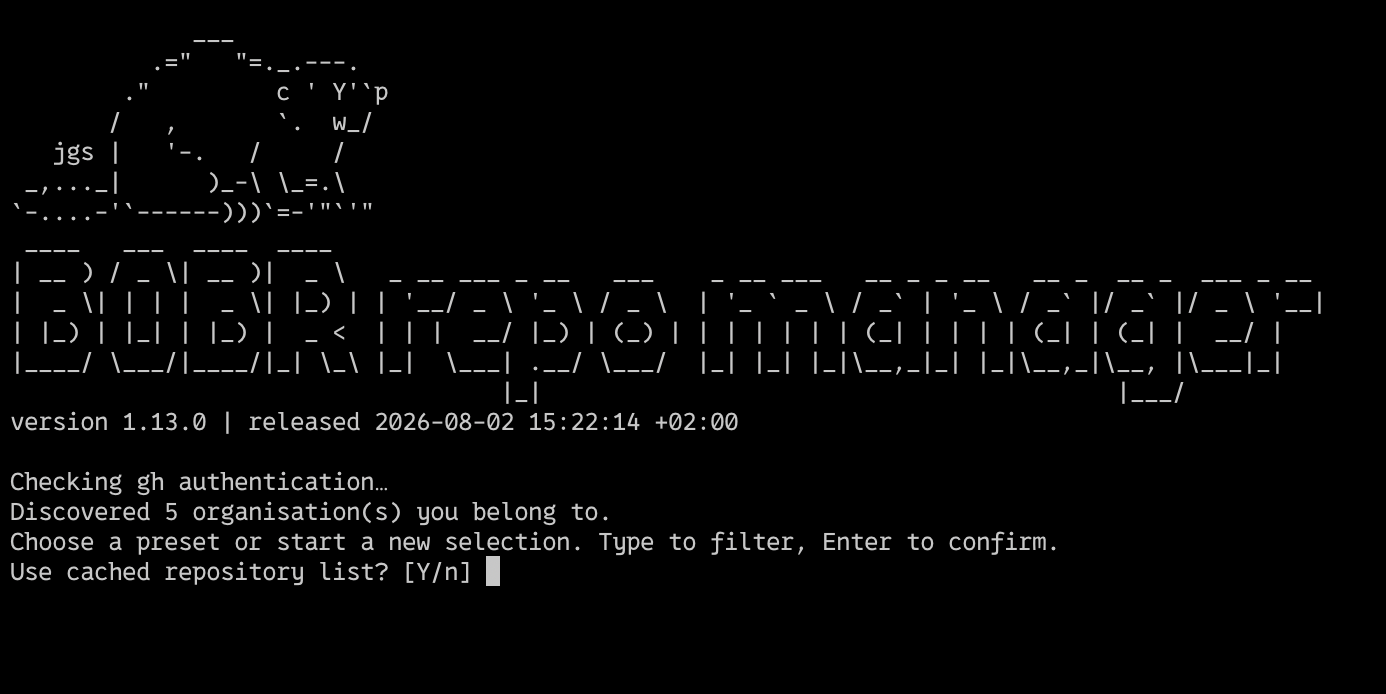
I also keep a few shell helpers in ~/.zshrc so starting a workspace is one motion.
The names I use day to day are yay-grok, yay-claude, yay-codex, yay-cursor-cli, yay-agy (antigravity cli), yay-pi, and yay-opencode. The shape is the same for each:
yay-grok() {
  local dir
  dir="$(agent-repo-manager)" && [ -n "$dir" ] && cd "$dir" && grok "$@"
}
Each one starts the manager, lets me select repositories, asks for a session name, and starts the coding agent in that pane.
I can start a feature in an isolated environment no matter how many repositories it needs.
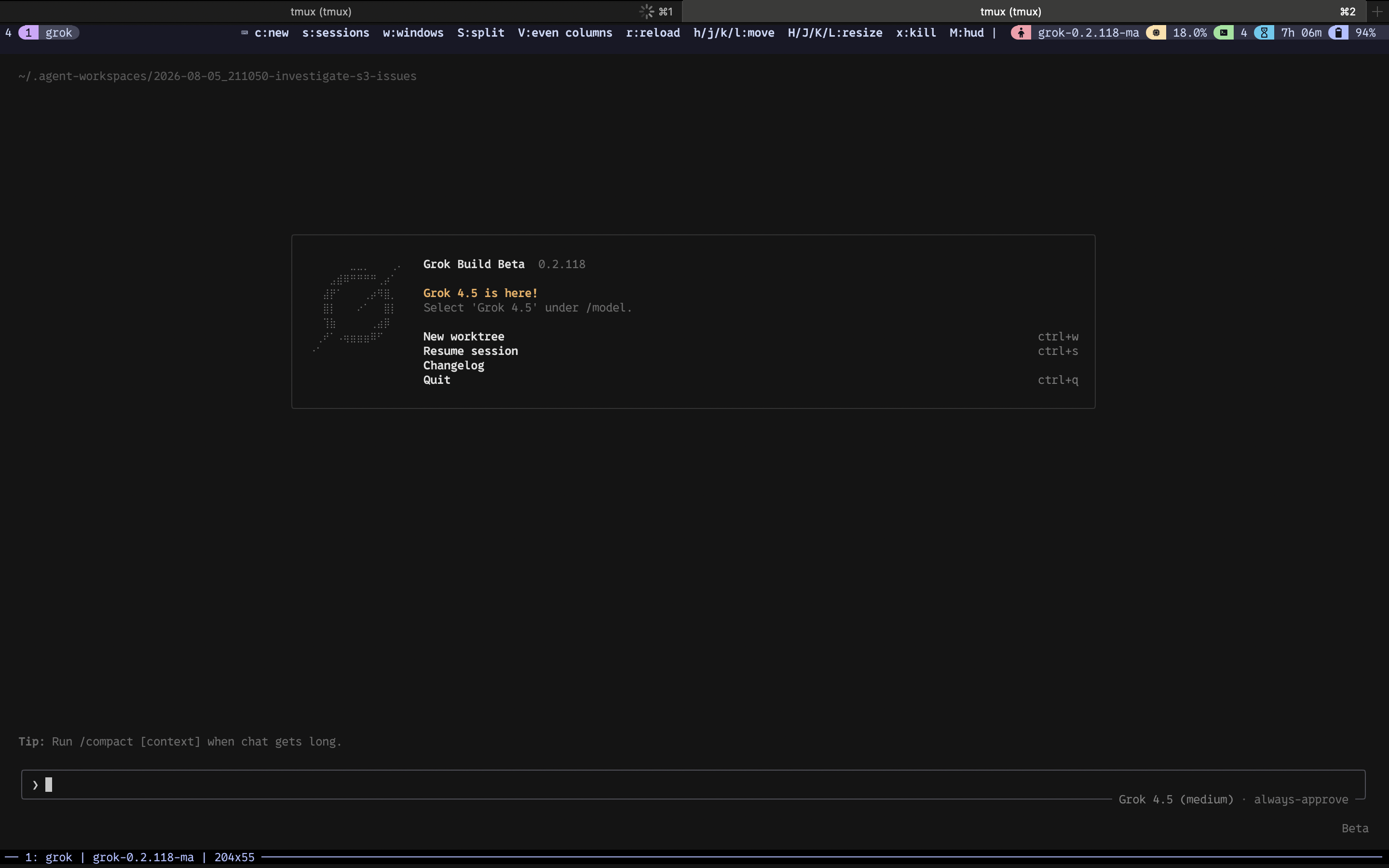
~/.agent-workspaces/…: one pane, one feature, one agent harness, ready for parallel groups without mixing context.That is what makes parallelism operational instead of theoretical.
Model selection
Models I use day to day, as of this writing, include Opus 5, Sonnet 5, GPT 5.6 Sol, Terra, and Luna, Composer 2.5, and Grok 4.5.
My skills work with all of them. Which one I pick depends on the job and on remaining budget.
For general purpose work, troubleshooting, and exploration I try hard to avoid Opus 5 when I need plain answers. It tends to stay verbose no matter what I ask.
When the problem is not pure coding, for example incident troubleshooting or a messy cross of topics, I stick to GPT 5.6 models, most often Sol, because it is the one that consistently does not stop at the first apparent root cause.
For exploring codebases I also tend to use Sol first. If I am out of tokens I try Grok, and Opus is my last option for that job.
Invoking MCPs has been more consistent for me in Claude Code than in other harnesses.
For developing features, bugfixing, and coding work more generally, Anthropic and Grok families feel simpler to drive, while GPT outcomes can be better if you know how to master them.
In most of my workflows I use Opus 5 for feature definition work and Sonnet 5 or Haiku for implementation.
I always start feature work with a simple ladder.
If the feature is genuinely complex, I reach for medium effort on Opus 5, Grok 4.5, or GPT 5.6 Sol, or high effort on Terra. If it is not complex, I stay on low effort for Opus or Sol, or medium or low for Grok.
If the feature spans multiple repositories and the code is large, legacy, redundant, or full of traps, I push high on Opus, Sol, or Grok. Otherwise I stay medium or low.
For implementation tasks the same idea applies.
Trivial patches and a few test updates stay low on Sonnet, Luna, or Grok. Uncommon patterns move to medium, sometimes high on Luna. Iterative end to end tests push high or extra high.
If the task does not fit those shapes, it is probably too big and should be split, still on a high tier while you untangle it.
Start with the lowest effort first. You will notice when you need a stronger model or more thinking time. You rarely notice that you could have used less.
Thinking effort does not make the model smarter. It gives it more time to revisit the problem and make better decisions.
Example: two features in parallel on this blog
Talk is cheap, so here is a real run from the same night I wrote most of this post.
I wanted two independent improvements on this site: a reading progress bar on blog posts, and clearer typography (body size and heading hierarchy). Neither feature needed the other.
That made them a clean test of the setup above.
I started with agent repo manager, selected briosheje/blog on master, and named the session for the first feature.
The session name becomes part of the workspace path under ~/.agent-workspaces, so later panes stay readable when several are open.
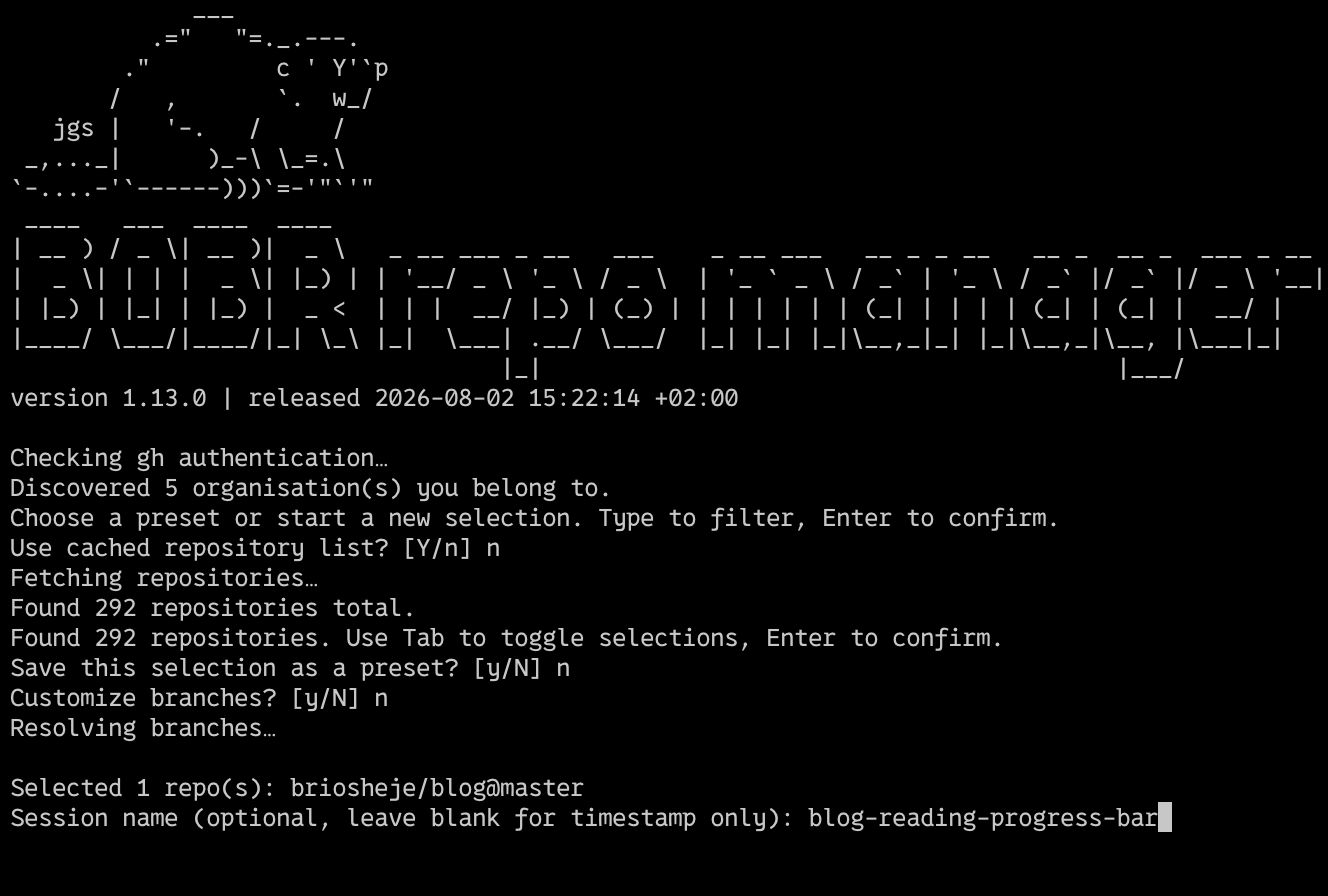
blog-reading-progress-bar keeps the workspace identity tied to the work, not to a random timestamp.A few minutes later I spun a second workspace the same way for blog-font-fix.
In tmux I kept both agent panes side by side: left pane on the progress bar workspace at medium effort, right pane on typography at low effort. Same harness family, different effort, fully isolated directories.
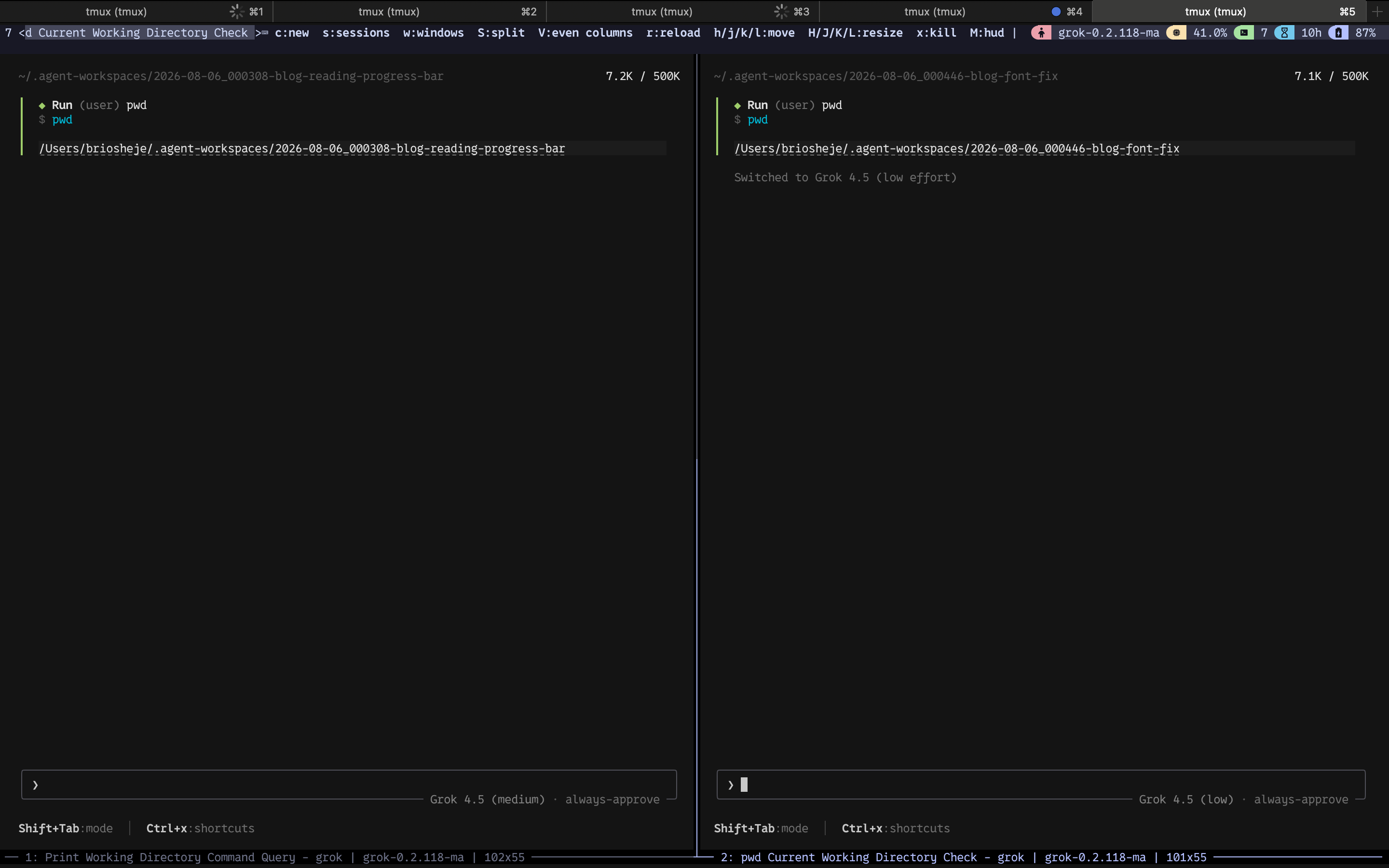
I kicked both off with the same shape of skill: /br-feature plus a short plain language goal.
The left pane explored the blog layout and asked design questions (lane, where the bar sits, what counts as 100% read). The right pane explored prose.css and asked how headings should stand out from body text.
I answered both without leaving the dual pane view.
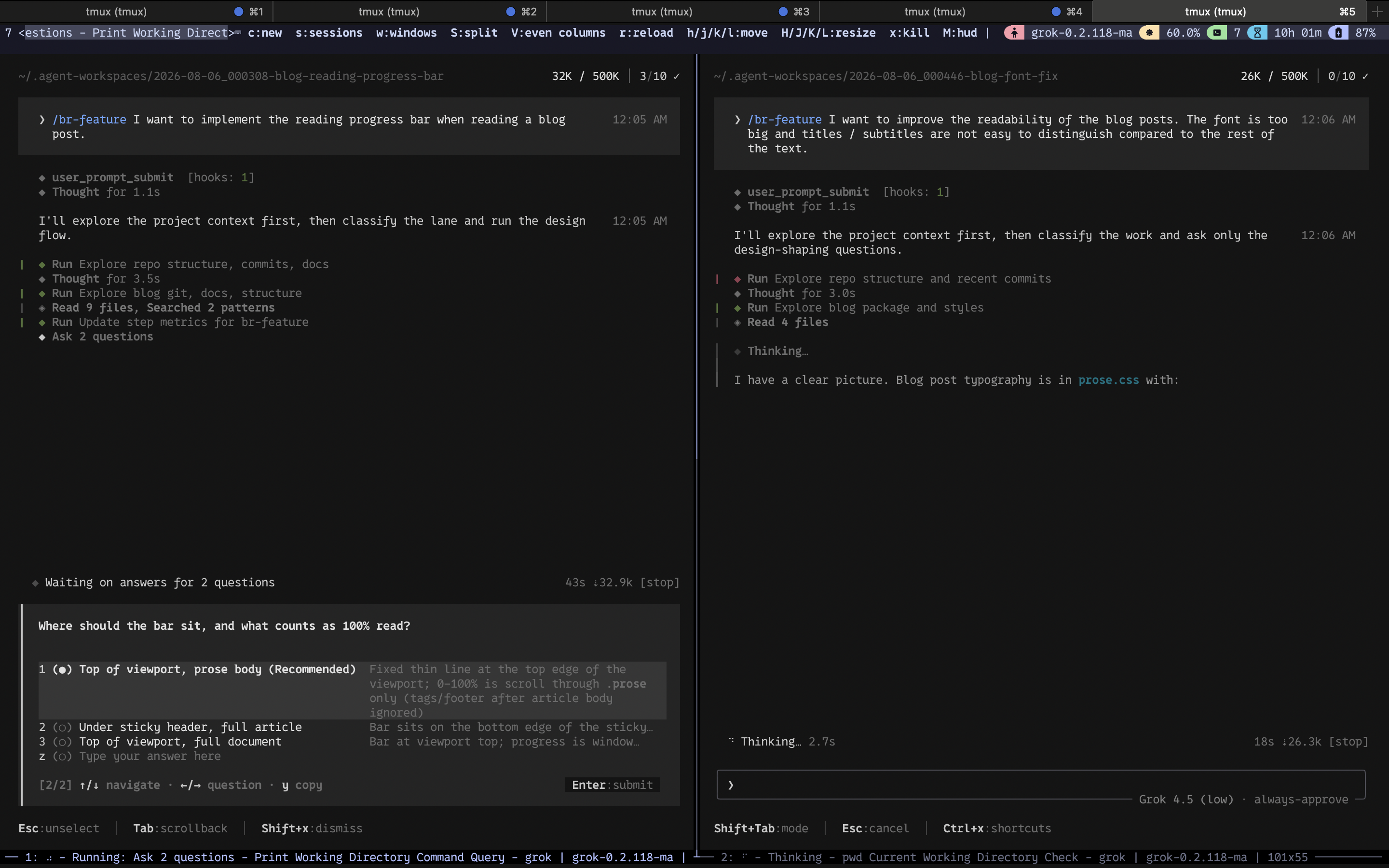
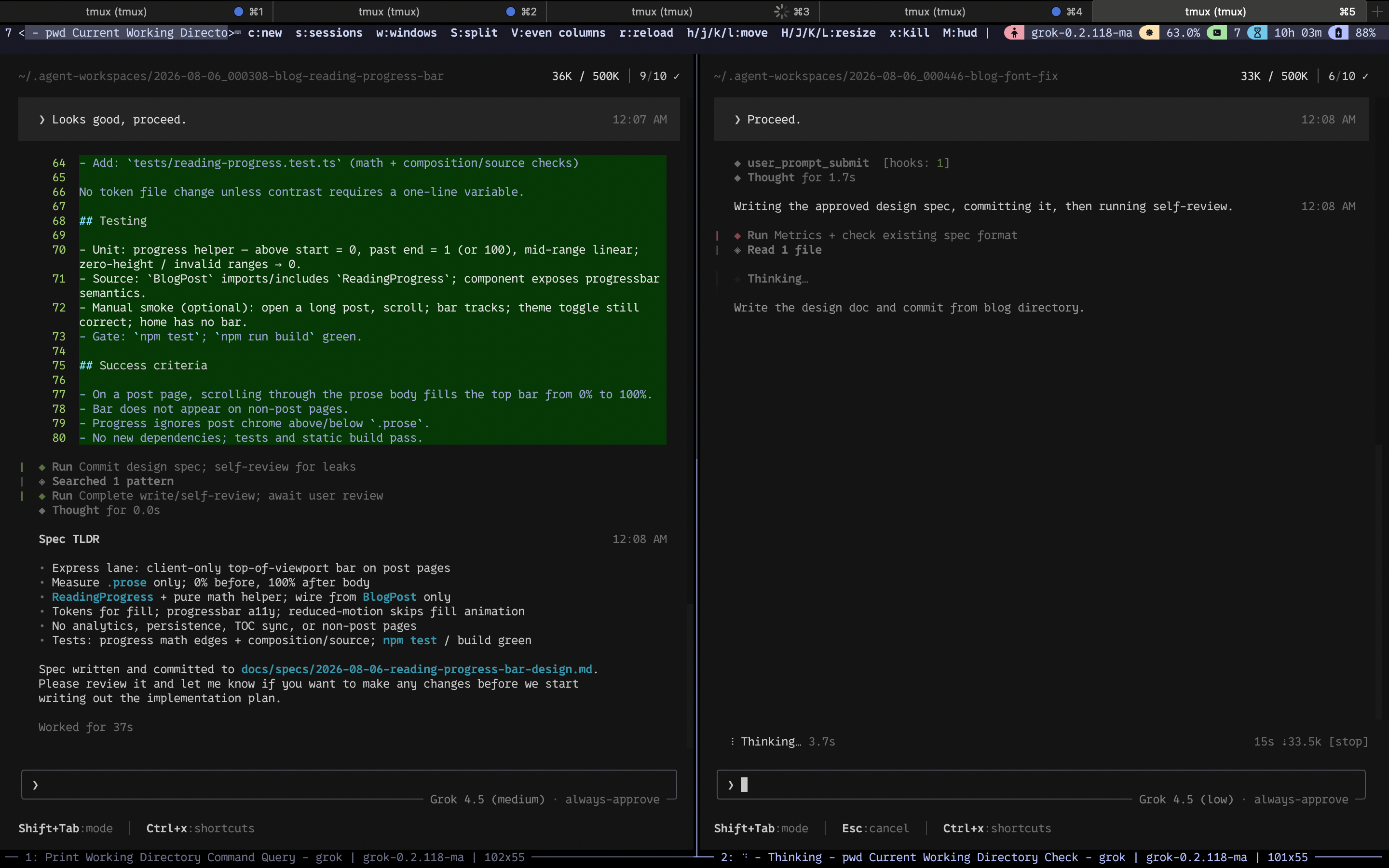
After I approved the design sketches, each pane wrote a design spec, self reviewed it, committed it under docs/specs/, and waited for a human go ahead before planning.
The human seat is still “approve the feature shape,” not “watch every line of implementation.”
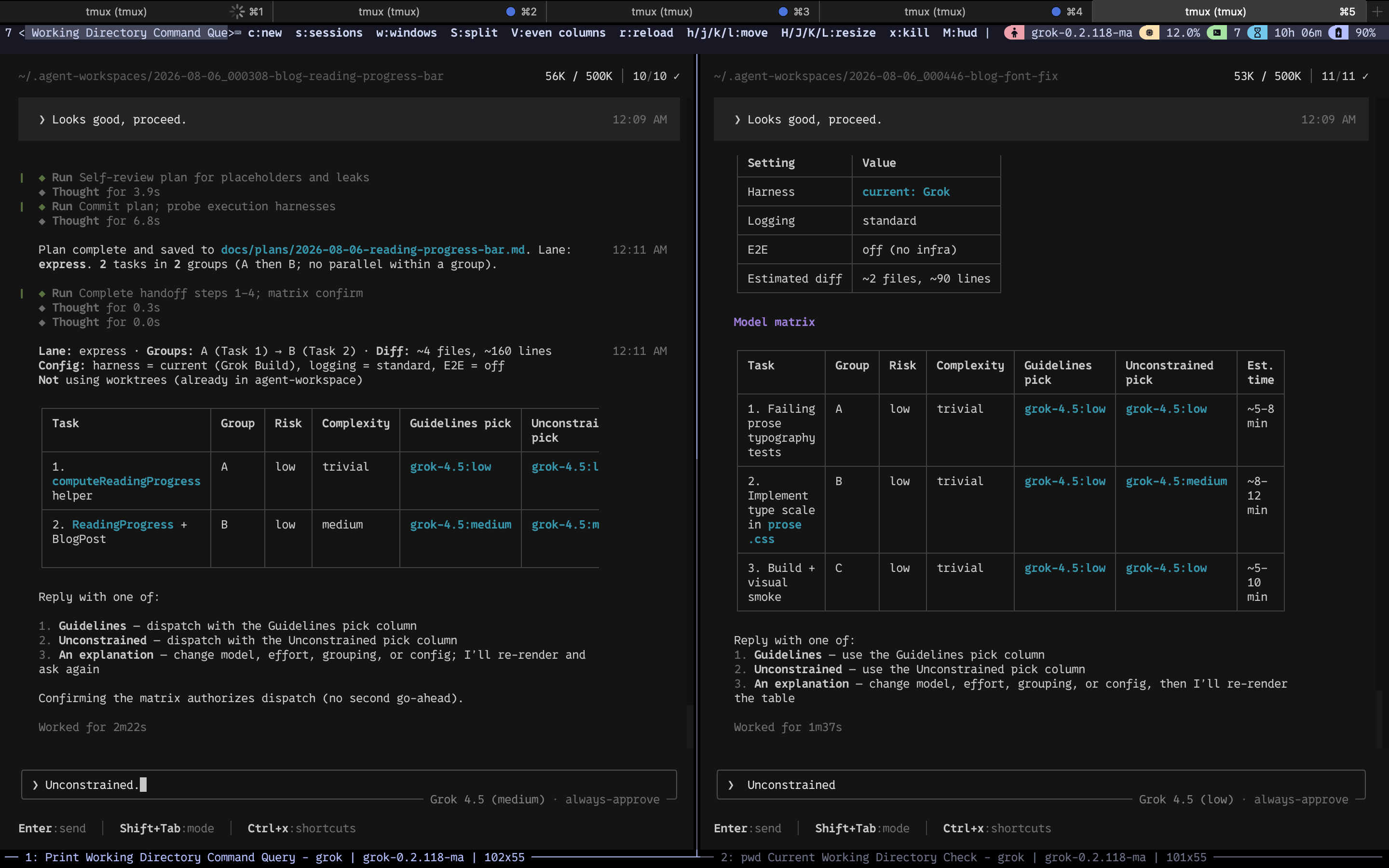
I approved both specs. The next skill wrote implementation plans and presented a model matrix: task groups, risk, complexity, and a guidelines versus unconstrained model pick.
I chose unconstrained for both so the matrix could pick slightly freer effort on some tasks. That is still a control decision. I am authorizing dispatch, not typing the code.
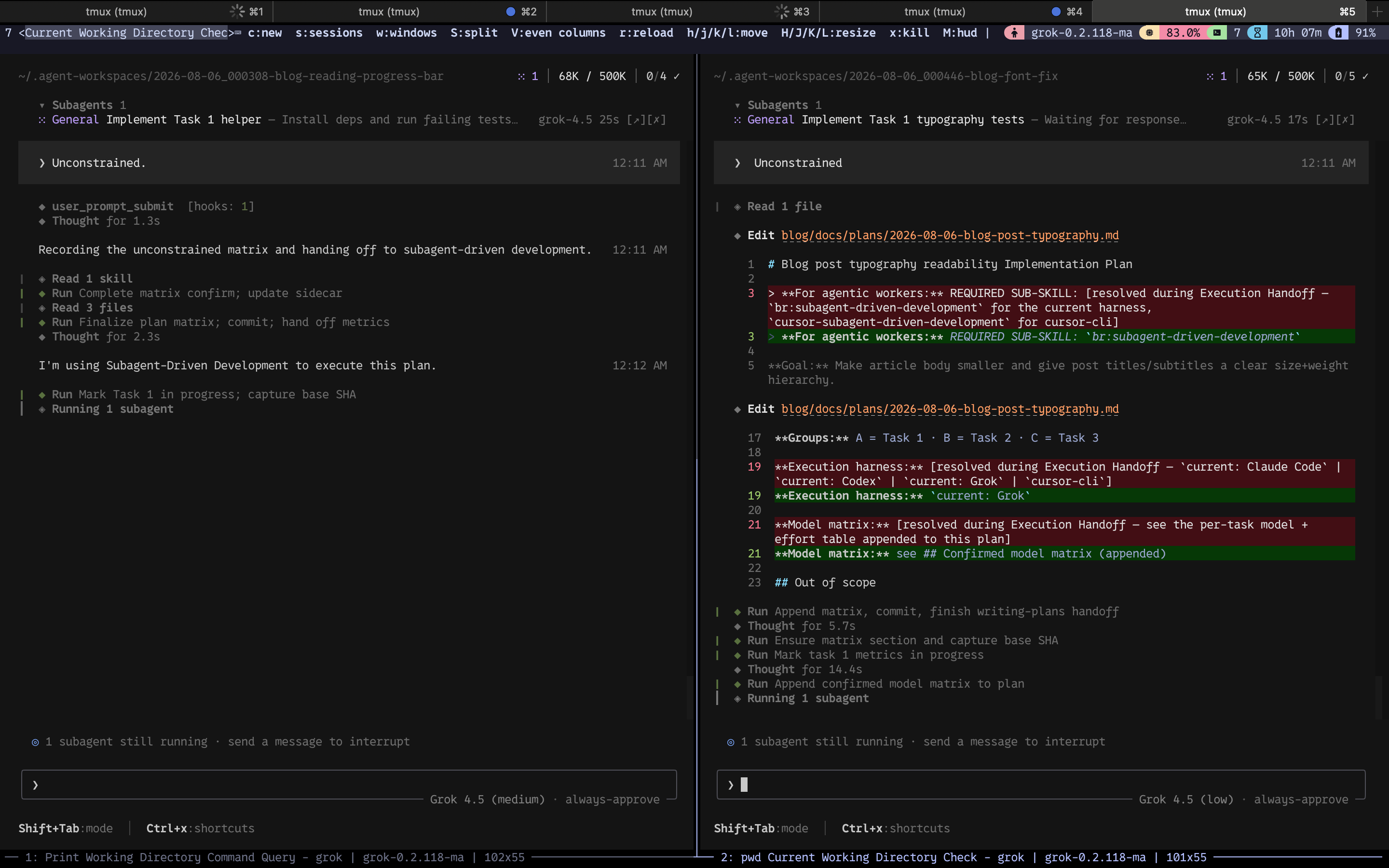
From there the root agents handed work to subagents.
One pane ran helper and component tasks for the progress bar; the other ran typography tests and CSS changes.
I could watch both, interrupt if needed, and otherwise stay on the control surface instead of the implementation loop.
When implementation finished, a finishing skill ran verification on each branch: tests, build, scope checks, and a short final review table.
Both features came back green on automated gates. Remaining risk was the kind you only settle in a browser (live scroll, real reading comfort), which is exactly the kind of final review I want to keep as a human.
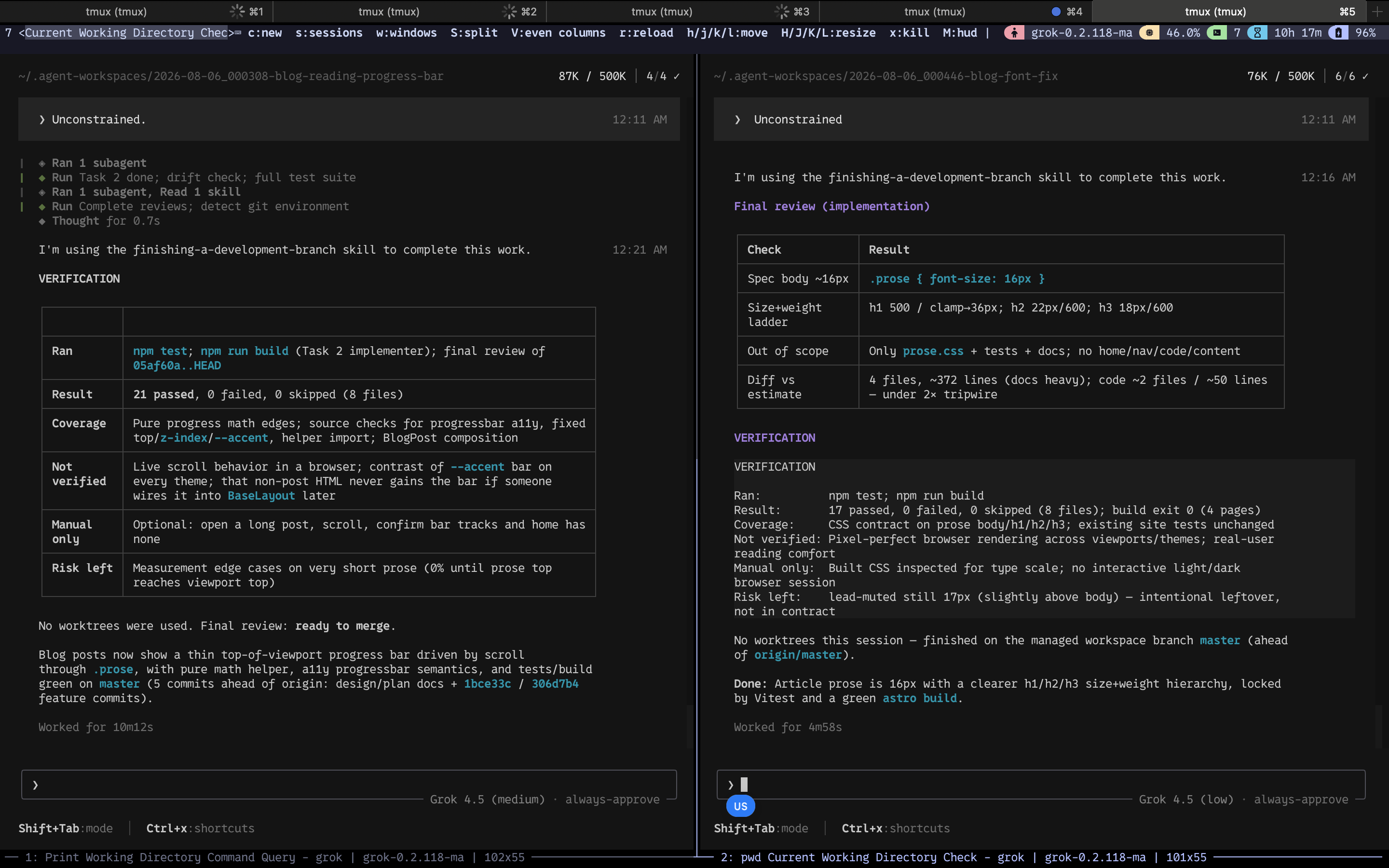
Review is where control stays human.
For the typography branch I opened the git diff in neovim and checked the actual CSS change: body prose down to 16px, tighter h2/h3 weight and size steps, article title still leading the page.
That is the kind of final pass I do not want to outsource.
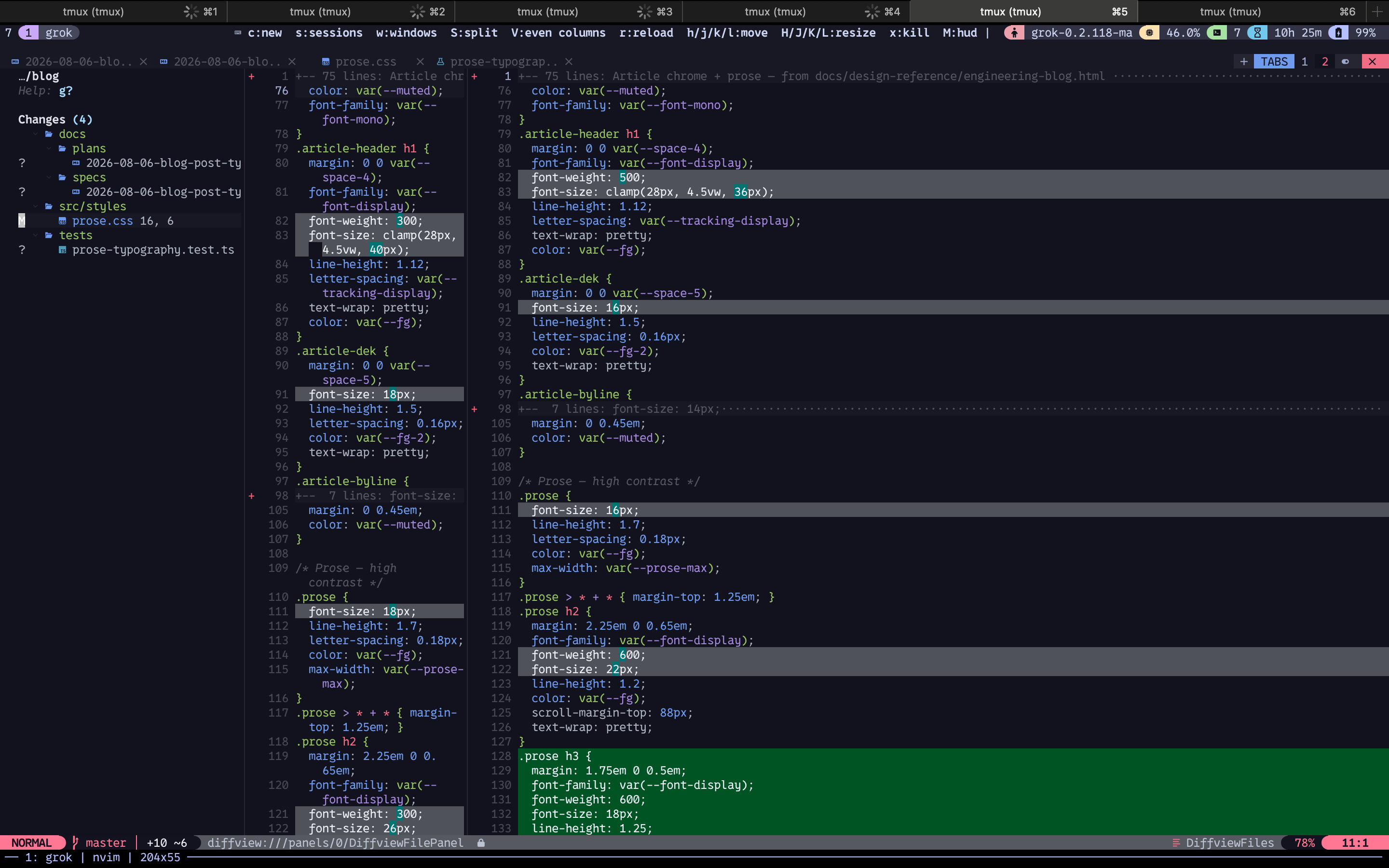
prose.css for the typography feature: smaller body, clearer heading hierarchy, article header and dek adjusted to match. This is the human final review seat in practice.Wall clock for the pair was on the order of tens of minutes of agent work with a few short human decision windows in between, not hours of single threaded coding.
The important part is not the exact duration. It is that two features ran in parallel, each with its own workspace, lane, spec, plan, and verification, while I stayed at feature definition and final review.
That is the setup from the previous sections under load: isolation, short questions, specs before code, matrix before dispatch, subagents for implementation, human at the ends.
Tips that stuck
Always try the lowest effort first. You might be underestimating both the work and how good the model already is.
You will figure out that you need something smarter. It is unlikely you will figure out that you needed something weaker.
Keep wording concise when you talk to agents, and ask them to do the same.
Iterate skills under version control, and use skills to write skills instead of maintaining them only by hand.
Use MCPs only when they add real value, and do not fill the skills folder with things you are not sure you need.
Understand your skills. Read them. Monitor them over time so you know whether they still earn their place.
I add workflows around them to track efficiency, not only gut feel. Take real time with a new model. Models are different and need to be learned.
Optimise processes to multiply throughput, and keep your attention on control: you should always know what is happening.
Conclusion
To amplify your work you need three things, at least in my experience.
You need knowledge and patience, because you have to keep trying and improving the workflow. You need solid workflows for the day to day engineering work that can be made somewhat predictable.
And you need a solid token budget or a subscription that can actually support the loop.
With the parallel setup above, instead of long AFK waits I mostly have context switch time.
I can manage something like eight to ten concurrent features without losing control.
The next time you look at one of your workflows and think “I could make this better or faster,” stop only thinking about it and do it.
Building the improvement is often cheaper than sitting on the idea.
And most importantly, at least in my opinion, build your own tooling. We never had this kind of chance before.
Building is cheaper now, and that is a real opportunity to build what you want instead of only using what someone else built.
That does not mean we should stop sharing setups. It means you should own yours.